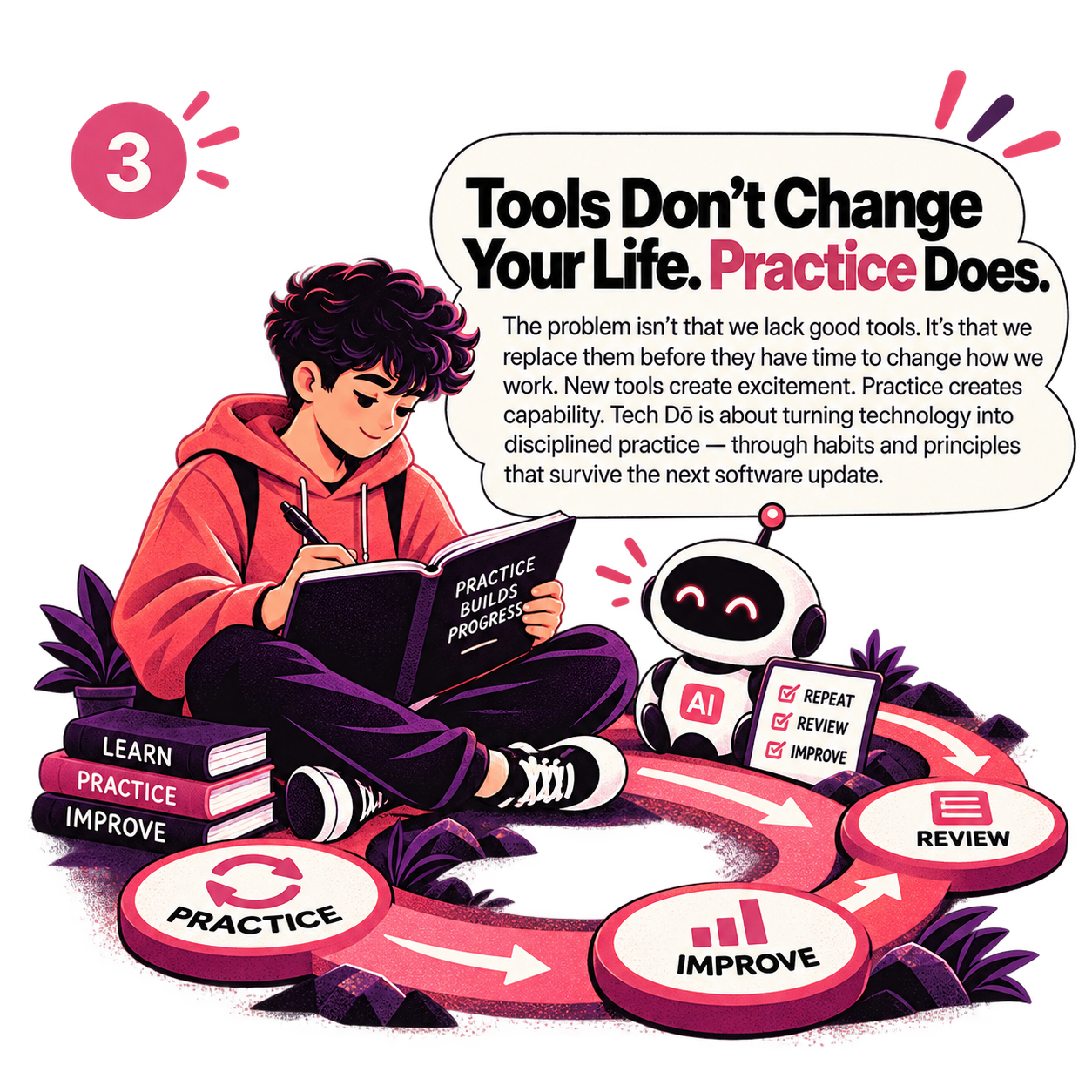
Once you’re keeping your judgment intact and you’re aware of the existing tech incursion, the next trap is chasing the tool instead of building the practice that actually compounds.
Review Step 0 to fix the concept of the journey you’re living.
Tech Do proposes a disciplined approach to technology use: not choosing apps, but becoming intentional adopters. From reactive to effective, from consuming to creating, with principles, repetition, and operational clarity—even in chaos.
This article introduces Tech Dō — treating technology use as a discipline, a path you walk long enough that it reshapes who you are, rather than a stack of apps you keep swapping. It reframes the real question from “which tool should I use” to “what kind of professional am I becoming through the way I use tech.”
That reframing is what turns scattered habits into an actual system.
Expected outcomes
After reading, you should be able to identify where you currently sit on the spectrum it describes — reactive vs. intentional, busy vs. effective, consuming vs. creating, tool-chasing vs. principle-led, digital chaos vs. operational clarity — and name one concrete habit that would move you one step along each axis.
Self-check
How many new tools have I adopted in the last six months, and how many of them am I still using deliberately? Do I have any repeatable rule for how I handle notifications, notes, or routine tasks — or does it depend on my mood that day? If I had to explain “how I work” to someone else, would it sound like a system or a pile of habits?
Best practices
Pick one area — notifications, notes, or a single recurring task — and write down the current rule you actually follow, even if the rule is “there is no rule.” Review and adjust it monthly instead of reacting tool by tool.
Remediation
If your honest answer is “pile of habits, not a system”: stop adding tools for the next thirty days. Use only what you already have, and spend that time turning one habit into a written rule you can follow without thinking. That’s the actual starting move of Tech Dō.
Further reading
This is the newest thread on the blog — further Tech Dō articles on notification systems, note-taking, and standard-setting are planned. This path will be updated with direct links as they’re published.
In a world overflowing with technology, I often feel overwhelmed by the options. But I’ve learned how to harness it to my advantage. This journey has shown me key strategies for using technology effectively in my personal and professional life. By actively embracing these tools, I boost my productivity, enhance communication, and improve collaboration. Committing to adaptability and lifelong learning helps me ensure that technology is a valuable ally, not an added burden.
You likely haven’t decided to change your approach to adoption.
Your work changed first.
Then somebody gave the change a name.
That distinction matters.
Because we’ve been trained to think that professional change begins with a decision.
A new strategy. A new tool. A new programme. A new slide deck with the word transformation somewhere near the top.
Real change is usually less polite.
It arrives while you’re busy doing your job.
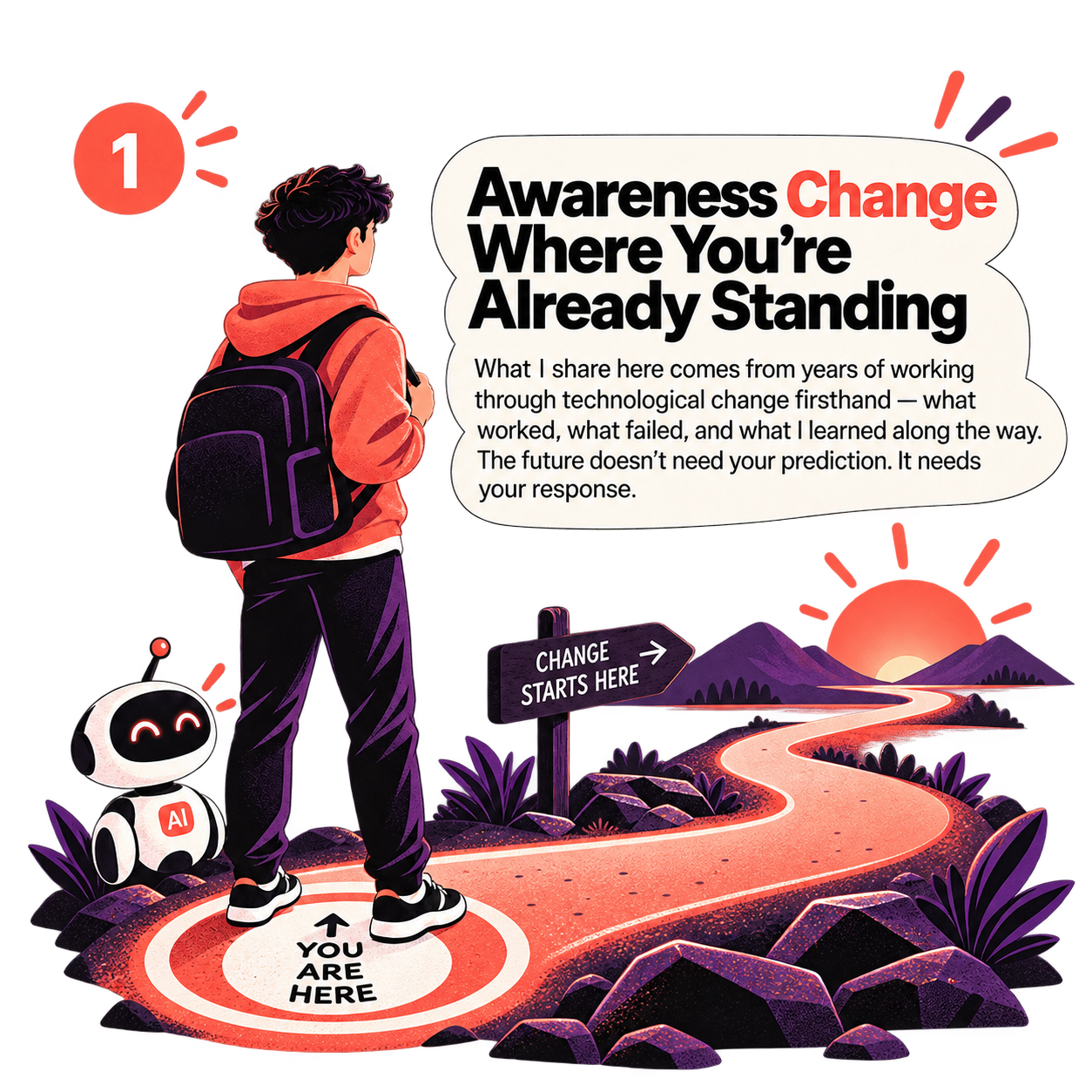
This is the first stop in the Start Here path because before talking about technology, AI, career growth or transformation, there’s a more useful question:
What has already changed while you weren’t looking?
Start where the change already happened
Most technology advice starts too late.
It tells you what to adopt next.
I want you to look backwards first.
Think about your job two or three years ago.
Then look at it today.
Maybe decisions happen faster.
Maybe customers expect answers immediately.
Maybe a task that once required three people now requires one person and an AI assistant.
Maybe nobody prints the report anymore.
Maybe expertise is no longer about knowing the answer, but knowing whether the answer generated in five seconds can be trusted.
Nobody may have formally announced these changes.
They still happened.
That is the point.
Transformation often becomes real long before the organisation decides to call it transformation.
And sometimes the most important professional skill isn’t predicting the next change.
It’s noticing the one that has already arrived.
Stop waiting for the starting gun
There’s a dangerous idea hidden inside the language of transformation.
It makes change sound like an event.
Someone approves it.
Someone launches it.
Someone manages it.
Then everyone else starts adapting.
That’s rarely how professional life works.
By the time a transformation programme has a name, a budget and a steering committee, people on the ground may already have been living parts of it for years.
The starting gun fired while nobody was listening.
So the question isn’t:
“When should I start adapting?”
A better question is:
“What am I already adapting to?”
That tiny change in language moves you from spectator to participant.
What you should be able to see after this
Don’t leave this article with another framework.
Leave with one sentence.
A sentence that describes something about your work that is materially different today.
Without using the words: digital transformation, innovation, disruption, future of work.
Just reality.
For example, I happened to think about when I was directly producing the monthly sales report, trying to add new information each time, and now I only decide whether the report is still in an acceptable format. So the question would become:
“Three years ago I produced the monthly sales report. Today AI produces it and I decide whether it deserves to survive.”
That sentence tells me far more about transformation than fifty slides about transformation maturity.
Self-check: Is the change already happening?
Ask yourself three questions.
Can I describe how my role has changed over the last two or three years without using the word “digital”?
Do I treat the change happening around me as something I need permission to respond to — or as something already underway, something I’m already part of?
Would I have recognised that change if nobody had given it a label?
The third question is the uncomfortable one.
Because labels can help us understand change.
They can also stop us from seeing it.
A simple exercise
Write down one change that has already happened in my work.
Plain language only.
No framework.
No buzzwords.
No transformation language.
Describe what is different today from what was normal two or three years ago.
One sentence is enough.
Then leave it alone.
Come back to it in a few months.
If the sentence still feels accurate, the change is probably becoming normal.
If it suddenly sounds outdated, pay attention.
Something else has moved.
And you may have been too busy working to notice it.
Your turn
If you want, leave a comment below starting with:
MY CHANGE IS:
Before you leave, name the change.
Don’t predict what’s coming next.
Write down what has already changed — and what you will do differently because of it.
Leave a comment starting with:
MY CHANGE IS: one sentence describing what is already different.
Then add:
SO TOMORROW I WILL: one small thing you will do differently.
Come back in three months. If it is possible, I’ll add a few words to help you.
The interesting question won’t be whether you predicted the future.
It will be whether you started acting like the future had already arrived.
If you feel behind
You probably don’t need another transformation programme.
Start smaller.
Pick the part of your daily work that has changed the most.
Now ask:
If I assumed this change was permanent, what would I do differently tomorrow?
Write the answer down.
That is your starting point.
Not the framework.
Not the trend report.
Not the project plan.
The work already in front of you.
The future doesn’t need your prediction. It needs your response.
In Japanese culture, Dō (道) means “the way.” Not a hack. Not a shortcut. A path you walk long enough that it reshapes who you are. It’s the difference between learning a technique and becoming the kind of person who can execute under pressure, stay calm in uncertainty, and improve without needing motivation.
Tech Do is a technological integration of a personal growth path.
Not “Which app should I use?”
But: “What kind of professional am I becoming through the way I use tech?
The core idea
Tech Do is a discipline of deliberate technology use—a personal path where you progressively move from:
It treats technology like a training ground. Every notification setting, workflow choice, template, automation, or note-taking habit is either building your maturity… or quietly subtracting from it.
What makes it a “Dō” and not a productivity method
A method says: “Do these n steps.”
A Dō says:
You’re never “done.”
You’re building character through repetition.
The point is mastery, not novelty.
The practice works when life is messy, not when the calendar is empty.
So Tech Do isn’t about becoming a power user.
It’s about becoming the kind of person who can use technology without being used by it.
The promise (and the challenge)
If you commit to Tech Do, you stop asking technology to save you.
You use it to do something harder:
protect attention
standardise your best work
reduce avoidable decisions
build reliable systems
strengthen reputation through consistency
And over time, you get what every real “way” delivers:
Not just better output.
A calmer mind. Cleaner execution. Deeper confidence.
The Tech Do Index — a monthly self-assessment
Part one made the case that Tech Do isn’t a productivity method; it’s a way — something you practice, not something you finish. That’s true, and it’s also useless without a way to check your position on the path. A way with no waypoints is just a mood.
This is the waypoint. Not a personality quiz. Not a vibe check. A checklist you sit down with every month, score honestly, and compare against last time.
It works the same whether you’re an individual contributor, a people manager, or an executive. Every item is written to be answered at either scale — “personally, or for those I coordinate.” If you don’t coordinate anyone, you answer for yourself and move on. If you do, you’re accountable for both: what you do, and what you’ve built into how your team works. That second part is where most of the real gaps hide.
How to score it
Twenty-five items across five movements, five items each, plus one trap item per movement that doesn’t count toward your score — it’s there to catch you.
Score every item 0, 1, or 2:
0 — Not present. This doesn’t happen. 1 — Emerging. It happens sometimes, but it isn’t a system yet — you’re relying on willpower or memory, not structure. 2 — Established. It’s a habit or a standard. It would survive a bad week.
Sum the five items in a movement for a score out of 10. Sum all five movements for a score out of 50.
Convert to a band:
0–40% (0–20 points) — Reactive. Technology is setting your terms. 41–70% (21–35 points) — Transitional. Some of this is real, most of it isn’t load-bearing yet. 71–90% (36–45 points) — Intentional. The system holds under normal pressure. 91–100% (46–50 points) — Principle-led. This is how you operate, not what you’re trying to do.
The trap item. After scoring the five real items in a movement, answer the trap honestly — yes or no. If your movement score is 8–10 and the trap is a yes, discount the score. You’re not where the number says. You’ve built something that looks like the outcome without being the outcome, and that’s a more specific failure than just “low score” — it’s worth naming on its own.
If you manage people: on any item, you can score twice — once for what you personally do, once for what you’ve actually built into how your team operates — and take the lower of the two. A strong personal habit that never became a team standard is a gap this test is designed to find, not paper over.
How to use it
Once a month. Not more often — you’re measuring a system, not a mood, and systems don’t move in a few days. What matters is the trend across months, not any single score. A 62% that becomes a 71% next month tells you something. A single 71% tells you almost nothing on its own.
Write the date down when you take it. Compare against your last result before you do anything else with the number.
Reactive → Intentional
The question underneath this movement: do you decide when technology gets your attention, or does it decide for you?
I have defined windows for checking messages and notifications — personally, or as a standard I’ve set for my team — instead of responding the instant something arrives.
Before I open a tool or app, I know why I’m opening it. I’m not opening it out of habit or out of anxiety about missing something.
When something interrupts a task, I have a rule for triaging it — personally, or one my team knows and follows — instead of dropping everything by default.
I can name the last time I deliberately turned off a notification, alert, or channel — for myself, or a tool I retired for my team — because it wasn’t earning the interruption.
My calendar and inbox reflect decisions I made about how I want to work, not just the defaults the tools shipped with.
Trap: I respond fast to almost everything, and it feels like being on top of things. Speed of response isn’t intentional use — reacting quickly to noise is still reacting.
Busy → Effective
The question underneath this movement: does your activity produce outcomes, or does it just fill the time available?
I can point to a specific outcome my last week of tool use produced — personally, or for the team I coordinate — not just a list of tasks that got touched.
I regularly remove a step, a tool, or a recurring meeting — mine or my team’s — because it stopped earning its place, not just add new ones on top.
I know the difference between tasks that move something forward and tasks that just keep me occupied, and I can name three of each from this week without having to think hard.
When I automate or delegate something, I check afterward whether it actually freed capacity for higher-value work — mine or my team’s — rather than just moving the busywork somewhere else.
I have said no to a tool, a project, or a process this month specifically because it added activity without adding outcome.
Trap: my calendar is full and I clear my inbox fast, and that feels like proof I’m effective. A full calendar measures occupation. It doesn’t measure whether any of it mattered.
Consuming → Creating
The question underneath this movement: does what you take in turn into something, or does it just accumulate?
Information I take in — reports, updates, industry reading — systematically turns into a decision or a directive, mine or one for the team I coordinate, instead of just being read and filed.
I have a standard format for turning what I learn into something others can use — a colleague, a team, a client — a playbook, a checklist, a brief — instead of leaving it in my head.
When I engage with an external forum, community, or network, something comes out of it — a point of view, a framework — that makes it into my work or my team’s, not just passive networking.
Meetings I attend more often produce an output I authored or co-authored — a decision, a document, an assigned owner — than they produce simple alignment.
There’s a place where my thinking, or my team’s, accumulates in shareable form — not just scattered notes across four apps.
Trap: I’m visibly active — commenting, reacting, sharing internally or on LinkedIn — and that feels like creating. It isn’t, unless it produces a framework or a decision, mine or my team’s. Reacting to someone else’s idea is still consuming.
Tool-chasing → Principle-led
The question underneath this movement: are you choosing tools because they fit a principle, or because they’re new?
I can state the principle behind why I use the tools I use — personally, or the ones I’ve standardized for my team — not just “it’s what everyone uses.”
When a new tool or AI feature launches, I have a process for deciding whether it fits before I adopt it — mine, or one my team follows — instead of adopting on hype.
I have retired a tool because it stopped serving the underlying principle, even though switching cost me time and friction.
My workflow would survive losing access to any single tool, because it’s built on a principle, not on that specific product.
I could explain my tool stack to someone new in terms of what problem each piece solves, not just what each piece is called.
Trap: I use a lot of tools, and I’m usually trying the newest one before most people have heard of it. Volume of tools tried isn’t a principle-led stack. Being early isn’t the same as being disciplined.
Chaos → Clarity
The question underneath this movement: is your operational picture legible, or does it only live in your head — or nowhere at all?
If I disappeared for a week, a colleague or my team could find where things stand without asking me, because it’s written down somewhere, not just known by me.
I have one place — not four — where the state of my priorities lives, and it’s current, not stale.
I can answer “what’s the status of X” in under a minute for my top three priorities, mine or my team’s, without reconstructing it from memory.
When something goes wrong, there’s a record of what happened and why — mine or my team’s — not just a memory that will fade in a month.
New information — a report, a request, a message — has an obvious place to go, instead of creating a small decision every time about where it belongs.
Trap: I have a lot of systems, folders, and dashboards, and that feels organized. Volume of systems isn’t clarity. More places to look is often more chaos wearing a better outfit.
—
What the score is for
This isn’t a grade. A 41% on Reactive → Intentional this month and a 58% next month is the entire point — the movement, not the position. Treat any single score as a photograph of a system mid-construction, not a verdict on you.
The trap items matter more than the main score, if you’re honest about them. A high score with a live trap means you’ve optimized for looking like you’re on the path instead of walking it — which, per part one, is the one failure mode a way can’t tolerate. A method can be gamed. A way, by definition, can’t — you’re only cheating yourself out of the thing you said you wanted.
The most dangerous AI answer isn’t the absurd one.
You catch the absurd one. You laugh, you screenshot it, you move on.
The dangerous one is the answer that is 90% right, well written, perfectly formatted — and wrong exactly where it matters. A deadline off by a week. A regulation that was amended. A function that doesn’t exist. A number that looks plausible because it was built to look plausible.
That is the real fear behind “What if I trust a wrong answer?” Not that AI makes mistakes. Every tool does. The fear is that it makes them in the same voice it uses when it’s right.
Fluency is not accuracy
A language model is very good at producing text that sounds like a correct answer. Most of the time, that text is also correct. But the tone doesn’t change when it isn’t.
A junior colleague who is unsure hesitates. They say “I think”. They look at the floor. AI usually doesn’t. So the signal you have used for your whole career — how confident does this person sound? — stops working.
You need a different signal. Not distrust of everything, which makes the tool useless. A routine.
Step 1: Decide what a mistake would cost
Before checking anything, ask one question: if this is wrong, what happens?
Brainstorming titles for a presentation? A wrong answer costs nothing. Use it freely.
Summarising a document you have in front of you? Low cost, if you spot-check it against the source.
A figure going into a client proposal, a clause in a contract, a technical setting in production, a medical or legal question? High cost. Never use it unchecked.
The level of checking should match the cost of the error, not your level of trust in the tool.
Step 2: Separate the claims from the prose
A long answer contains a handful of claims that matter and a lot of connective text. Pull out the claims: names, numbers, dates, rules, quotes, references, technical commands.
Those are the parts you check. The rest is packaging.
Step 3: Check the claims against something that isn’t the AI
Asking the same assistant “are you sure?” is not verification. It may apologise and change a correct answer, or confirm a wrong one.
Check against an independent source:
A number → the original report, filing or dataset, not an article quoting it.
A law or rule → the official text, and its current version.
A reference or paper → search for it. If you can’t find it, treat it as invented until proven otherwise.
A quote → the original speech, interview or document.
A piece of code → the current official documentation, and a test run.
If the AI gives you a link, open it. Check that the page exists and that it actually says what the answer claims.
Step 4: Watch for the classic weak spots
Some areas fail more often than others. Slow down when the answer involves:
Recent events. Every model has a knowledge cutoff. Anything that may have changed since then — prices, roles, regulations, product versions — needs a fresh check.
Precise numbers. Percentages and statistics with no source are a red flag.
Niche topics. The less written about something, the more the model fills gaps.
Things you asked it to agree with. A leading question (“Isn’t it true that…”) tends to get a leading answer.
Step 5: Make the tool show its uncertainty
You can change how the conversation works. Ask the assistant to:
mark which statements it is unsure about;
separate facts from its own reasoning;
say “I don’t know” instead of guessing;
list what you should verify before using the answer.
This doesn’t make the output true. It makes the weak points visible, which is what you need.
The point is not to trust less. It’s to trust on purpose.
In critical infrastructure we don’t ask whether a component is trustworthy in general. We ask under which conditions, for which function, with which checks. The same discipline applies here.
AI is an excellent first draft and a poor final authority. Keep the authority for yourself.
Your first step
Take the last AI answer you used at work. Underline every number, name, date and rule in it. Verify the two that would hurt most if they were wrong. That’s the whole routine — now it’s a habit.
Back to Surprise Me — choose another fear to name.
The chat box is the most intimate interface we have ever built for software.
No forms. No fields. No “Are you sure?” Just a blinking cursor that seems to say: tell me everything, I’ll help.
And people do. Contracts pasted in full. Client lists. Salary spreadsheets. Medical test results. Screenshots with someone else’s phone number in the corner. Passwords inside a config file, “just to fix the error”.
Not because they are careless. Because the interface feels like a conversation, and conversations feel private.
A conversation with an AI is a data transfer
When you type into an assistant, your text leaves your device and is processed on someone else’s infrastructure. What happens next depends on the provider, the product, your plan and your settings:
whether your company has a contract that changes any of the above.
I won’t tell you what each tool does today, because these policies change often. You should check the privacy settings and data terms of the specific assistant you use — and check them again every few months.
The principle is simpler than the policies: don’t share what you wouldn’t be comfortable seeing outside your control.
Keep these out of the chat
Credentials and secrets. Passwords, API keys, access tokens, recovery codes, private keys. Never, not even inside a log or a config file. Remove them before pasting.
Identity and financial numbers. Tax codes, ID and passport numbers, card numbers, IBANs.
Other people’s personal data. Names with contact details, health information, HR evaluations, customer records. It isn’t yours to hand over — and in Europe, GDPR has something to say about it.
Confidential business material. Unreleased financials, tender documents under NDA, pricing strategies, network diagrams, security configurations, source code your employer hasn’t cleared for external tools.
Your own sensitive details, by default. Health, legal situations, family problems. You may decide to share some of them. Make it a decision, not a reflex.
Use AI anyway: three habits that work
Privacy doesn’t mean giving up the tool. It means changing what you put into it.
Anonymise before you paste. Replace names with roles (“Client A”, “Supplier B”), real numbers with realistic placeholders, addresses with “[city]”. The assistant usually needs the structure of the problem, not the identity of the people in it.
Describe, don’t upload. Instead of pasting a 40-page contract, ask: “What should I check in a termination clause for a multi-year maintenance contract?” You get most of the value with none of the exposure.
Use the right channel for the right data. Many organisations now provide approved AI tools with contractual data protections. If yours does, company data goes there — not into a personal account on your phone. If it doesn’t, ask why. That question is worth more than any workaround.
A quick test before you press Enter
Read what you are about to send and ask:
Would I email this to an external supplier I’ve never met?
Does it contain anything that identifies a real person?
Would my company’s security team approve this paste?
If any answer makes you hesitate, edit before sending.
The fear is reasonable. The paralysis isn’t.
In regulated sectors we learned long ago that security isn’t a feeling, it’s a set of controls: what goes where, who can see it, for how long. AI doesn’t change that logic. It just makes the most sensitive door look like a friendly chat window.
Treat it like a door.
Your first step
Open the AI assistant you use most. Find its privacy or data settings and read them for five minutes. Then delete the one past conversation you wish you hadn’t had — and keep in mind that deleting it from your history may not mean it’s gone everywhere; the provider’s terms tell you that too.
Back to Surprise Me — choose another fear to name.
A photo was evidence. A voice on the phone was the person. A video call with your manager was, obviously, your manager.
That assumption is gone. Generated images, cloned voices and synthetic video are now cheap enough to be used in everyday fraud, not just in lab demos. And the people building scams have noticed.
So the fear — “What if I can no longer tell real from fake?” — is not paranoia. It is an accurate reading of the situation.
Here is the uncomfortable part: you probably won’t win by spotting the fake. Detection tricks age quickly. The weird hands, the odd blinking, the robotic voice — each generation of tools fixes the flaws the previous one had.
You win by changing the question.
Stop asking “Is this real?”. Ask “What is this asking me to do?”
Almost every scam, old or new, ends with a request:
The deepfake is just the packaging. The request is the payload. And the request is where you can stop it, whatever the packaging looks like.
The warning signs are behavioural, not visual
Forget pixels. Look at the pattern:
Urgency. “It has to be done in the next hour.” Pressure exists to stop you thinking.
Secrecy. “Don’t mention this to anyone yet.” Real requests rarely need to bypass colleagues.
A change of channel. A message from an unknown number, a new email address, “my phone is broken, use this one”.
A change of procedure. New IBAN, unusual approval path, a payment outside the normal flow.
Emotional pressure. Fear, flattery, a family emergency, an authority figure who is “very disappointed”.
One of these signs is a reason to slow down. Two together are a reason to stop.
The pause: a three-step routine
1. Don’t act inside the same conversation. Whatever the request, don’t complete it in the call, chat or email where it arrived.
2. Verify through a channel you already had. Call back on the number saved in your contacts or in the company directory — not the one in the message. Write to the address you have always used. Walk to the person’s desk if you can.
3. Ask something only the real person would know. Not public information. A recent shared detail, an internal reference. Families can agree on a simple code word for emergencies; teams can agree that payment changes are never approved by phone alone.
If the request is genuine, the pause costs you a few minutes. If it isn’t, it saves you everything.
For organisations: make the pause the rule
Individuals get tired, distracted, pressured. Processes don’t. The strongest defence is a rule that nobody is allowed to break, even for the CEO:
payment detail changes always verified through a second, pre-existing channel;
no urgent transfers authorised by a single person on a single call;
a clear, blame-free way to say “I think this is a scam” and escalate.
In the security work that frameworks like NIS2 push organisations towards, the human layer is part of the perimeter. A good procedure turns every employee from a target into a checkpoint.
Trust isn’t dead. It moved.
We used to place trust in what we saw and heard. Now we have to place it in how we verify. That sounds colder, but it isn’t: a family code word, a callback habit, a team that never rushes a payment — these are forms of care.
The fake can look perfect. It still can’t pass a pause.
Your first step
Today, agree on one verification rule with one person: a code word with your family, or a callback rule with the colleague who approves payments with you. One rule, one person. That’s your first line of defence.
Back to Surprise Me — choose another fear to name.
The luxury feeds met a reality that could not be edited out.
Dubai looked extraordinary through a smartphone.
Rooftop pools. Supercars. Apartments above the clouds. Entrepreneurs explaining financial freedom from restaurants where lunch could swallow somebody else’s weekly salary.
The message was persuasive: this was where successful people went to live.
Then came a harder question.
What happens when your business depends on presenting paradise—and paradise becomes a news story?
When the content changed
During the Iranian attacks in March 2026, some Dubai-based influencers briefly exchanged lifestyle content for eyewitness updates. Videos showed smoke, anxious reactions and events unfolding near familiar luxury locations.
ABC News reported on March 10 that fitness creator Will Bailey had posted footage and spoken to international media, then stopped posting. Other accounts shifted towards messages praising the UAE’s leadership and security response. The report also described official warnings over misinformation and material that could cause public panic.
That does not establish that every silent creator was censored, or that every reassuring post was commissioned.
It does establish something more useful: a social feed becomes difficult to interpret when personal safety, commercial interests and restrictions on expression overlap.
Silence can have several explanations. An upbeat video can, too.
Neither should automatically be treated as an independent assessment of conditions on the ground.
The disappearance story is too convenient
“Dubai’s influencers have vanished” makes an excellent headline.
It also bundles different people into a single fictional character.
A fitness coach, a property salesperson, a travel creator and a business owner may share a skyline. They do not necessarily share an income model, political opinion or reason for staying.
An April 9 Deutsche Welle analysis examined the competing claims that the “Dubai dream” had ended or that life was continuing normally. Its framing challenged the temptation to turn a complex economic and social situation into a verdict based on influencer narratives.
The evidence discussed here concerns particular episodes in March and April. It does not provide a comprehensive October census of who left, who stayed or who returned.
We should resist inventing one.
When the location becomes the product
For some creators, Dubai is more than a place to live.
It is part of the sales proposition.
The background helps communicate success before the speaker has explained what they actually do. A skyline becomes evidence. A hotel becomes a credential. Proximity to wealth becomes a suggestion of expertise.
This is my interpretation of the business model, rather than a claim about every Dubai-based creator.
But it explains the tension.
If your content sells the promise of security, prosperity and frictionless opportunity, uncomfortable developments can threaten both your confidence and your commercial positioning.
That creates an incentive to reassure.
It does not prove dishonesty. It gives audiences a reason to examine incentives.
The creator economy has rules beyond the algorithm
Dubai’s influencer ecosystem also operates within a regulated advertising market.
The UAE’s official Advertiser Permit framework covers individuals conducting social-media advertising, whether compensated or unpaid, subject to stated exemptions. It requires compliance with media standards and display of the permit number; visiting advertisers apply through licensed agencies. These are advertising requirements, not evidence that every personal post requires a permit.
For creators, the practical lesson extends beyond Dubai.
Your audience may be global. Your platform may be American. Your sponsors may be international.
Your physical location still matters.
So do local rules, residency arrangements and the organisations on which your business depends.
“Digital independence” can conceal considerable dependence.
What audiences should take away
There is nothing inherently suspicious about enjoying Dubai, building a business there or choosing to remain during uncertainty.
There is also nothing inconsistent about leaving when circumstances change.
The credibility test is how a creator explains that change.
Do they distinguish personal experience from verified information? Disclose commercial relationships? Acknowledge uncertainty? Correct earlier claims?
A creator saying, “I feel safe where I am,” offers a personal observation.
A creator saying, “There is no risk,” makes a much broader claim.
Followers should hear the difference.
The skyline was never the guarantee
Perhaps the most revealing question is not where Dubai’s influencers went.
It is why audiences accepted so much lifestyle imagery as evidence of sound judgment.
Beautiful surroundings can demonstrate access. They cannot establish competence, independence or foresight.
The same applies to people selling AI expertise, investment wisdom or career transformation.
Watch how someone handles an inconvenient fact. It tells you more than their most impressive backdrop.
When reality interrupts the sales pitch, does the creator help you understand what changed—or simply change the camera angle?
Prepared October 23, 2026. This commentary distinguishes documented reporting from the author’s interpretation. Text and illustration prepared with AI support and subject to editorial review.
"Artificial Intelligence" has never really convinced me as a name. Not now, and not back when I was an engineering student, when nobody talked about these things.
BLOGGING TIPSInteracting with ReadersInteracting with readers is a fundamental aspect of blogging that extends beyond writing.It’s about building a community and fostering relationships.In my journey as a blogger, engaging with my readers has been…
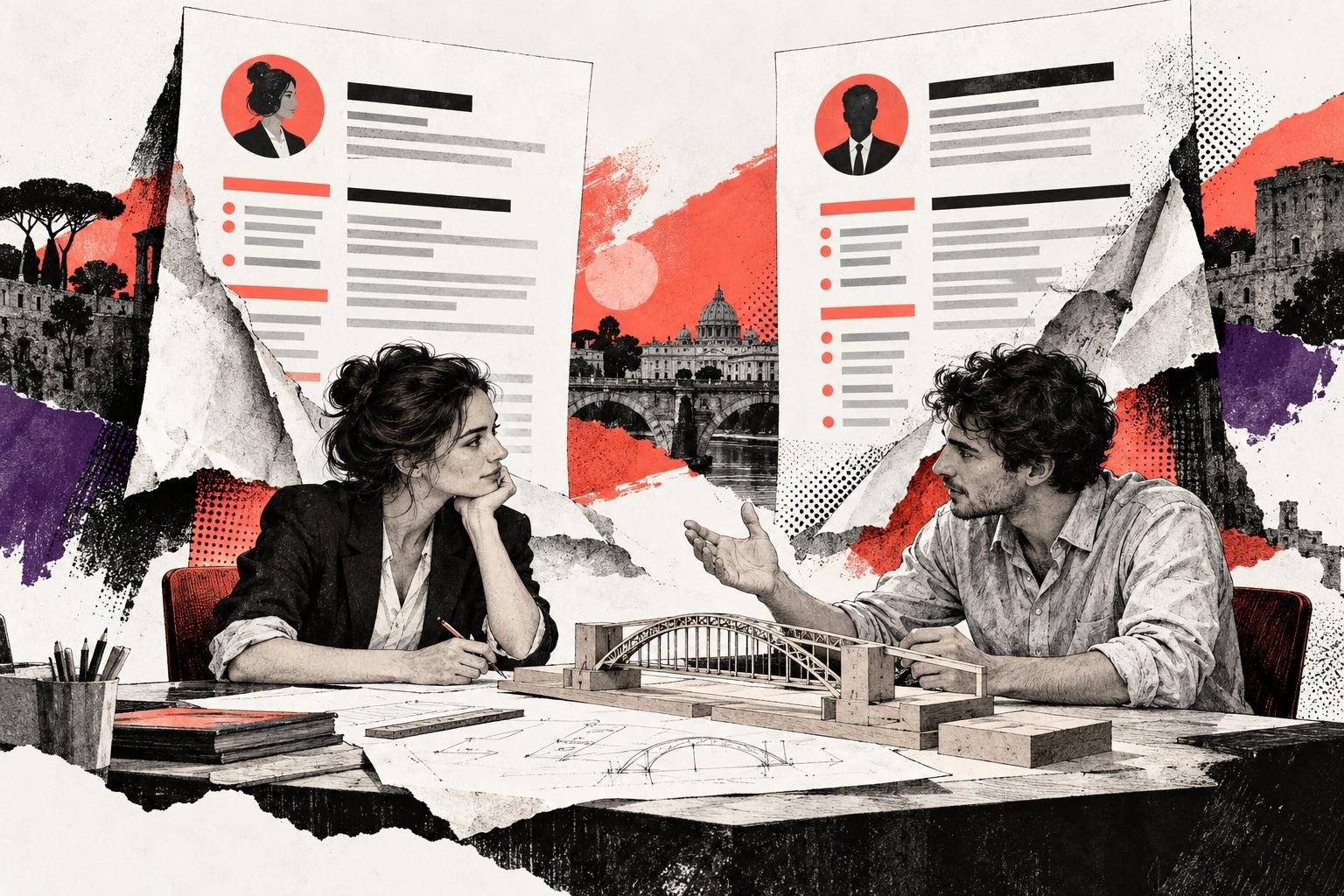
Nino is listening to a conversation about CVs, algorithms and new opportunities. Then he asks the question nobody put on the agenda.
“Excuse me, but if AI writes my CV and another AI screens it… do I need to turn up for the interview, or can they sort it out between themselves?”
Everyone laughs. Then a suspicion creeps in: perhaps Nino has spotted the point where efficiency risks becoming a conversation with nobody in it.
Two assistants. One person to get to know.
On one side, a candidate can use AI to make a CV clearer, connect experience to the role and prepare for questions. On the other, employers have tools that help them find profiles, organise information and assess potential matches.
This is more than an imaginary scenario. LinkedIn describes AI-assisted search and hiring agents, alongside tools that support applications and CV preparation. That does not mean every hiring process is automated, or that an algorithm alone decides who gets hired. It means AI can be involved on both sides of the table.
So far, there is no scandal. A poorly written CV can hide an excellent professional. An unfocused search can prevent a recruiter from finding them. Improving those steps makes sense.
The problem starts when the quality of the packaging matters more than what is inside.
The perfect CV can be bad news
Imagine an impeccable application: all the right words, no hesitation, every experience aligned with the job description. Is it the portrait of a capable person, or evidence that someone knows how to optimise a document?
The document alone may not tell you. That was true before AI. It makes looking for evidence beyond the text even more important now.
A project explained precisely. A difficult decision and the alternatives rejected. A mistake acknowledged. A result described without claiming the work of an entire team.
These details are less polished than a perfect formula. They make for a more useful conversation.
Translating your experience does not mean inventing it
For an experienced professional, AI can be an excellent editor. It can help explain a complex career to someone outside the industry. It can make experience built around clients, infrastructure, constraints and difficult decisions easier to understand.
The distinction is straightforward: clarify a result you achieved, or claim a result you did not. The first improves communication. The second creates a debt that the actual job will eventually call in.
If your CV promises a skill, you should be able to discuss it. If it cites a number, you should be able to explain the context. If it describes a responsibility, you should know where yours ended and someone else’s began.
What is the employer actually looking for?
The question applies on the other side, too. Before asking AI to find the ideal candidate, a company needs to clarify what makes someone suitable for the work.
What results will they need to deliver? Which skills are essential from day one? Which can be learned? What transferable experience might a literal reading of the requirements overlook?
A candidate may never have used your CRM, for example, but may have spent years managing complex sales involving technical specialists and several decision-makers. How much does familiarity with the software matter compared with the ability to navigate that complexity? The answer depends on the role. It needs to be decided, not left implicit.
Automating a search without clarifying the criteria can accelerate a poorly thought-out selection process. Speed does not fix a bad question.
The interview needs to add something to the CV
If the meeting merely repeats the document, Nino has a point: the two machines might as well keep talking.
An interview becomes valuable when it explores how someone reasons. A realistic case. Incomplete information. A constraint that changes. Permission to ask questions before answering.
The aim is to understand how the person uses what they know. That can include AI tools when the job involves them. Stating beforehand which tools are allowed makes the exercise clearer for both sides.
This is where experience can become visible: in the problem you recognise, the risk you flag, the answer you choose not to give until you understand more.
In the end, Nino does need to turn up
AI can help you attract attention. The conversation helps establish whether that attention has found the right person. On both sides.
Because the candidate is assessing something, too: the clarity of the role, the quality of the questions and the company’s willingness to look beyond a perfect application.
Nino thinks for a moment. Then adds:
“Fine, I’ll come to the interview. Just tell me whether you want a capable person or a CV that tells you what you want to hear.”
In your experience, what question reveals a skill that a perfect CV can hide?
Keep asking useful questions
The HiTechStories Digest brings you perspectives and tools to stay relevant, think independently and use AI without handing over your judgement. Explore the Digest.
Nino’s questions are a narrative device. The examples are hypothetical: they do not describe a verified company case or imply that every hiring system works in the same way.
Start with one recurring task you understand well. Decide what a useful result looks like, give AI the relevant context and review its output yourself. Compare quality and effort with your usual approach. Keep what helps, change what does not, and learn from that small experiment.